This is a SEO version of NDTC_User_Guide. Click here to view full version
« Previous Page Table of Contents Next Page »59

Introducing Search
Search allows you to enter the name or partial name of a program or video you are looking for and have your service fnd any program matching the text you enter.
Go To Search Press MENU and highlight Search, then press OK.
Search For A Program Step 1: Enter The Program Title
The highlight will be on the Search text box when the Search screen appears.
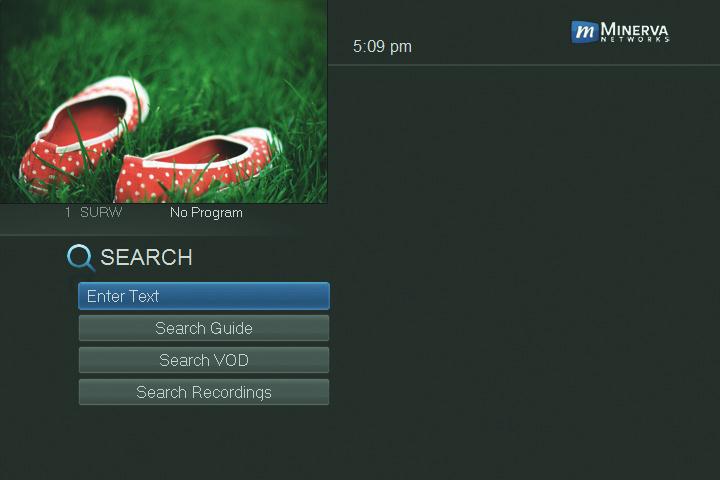
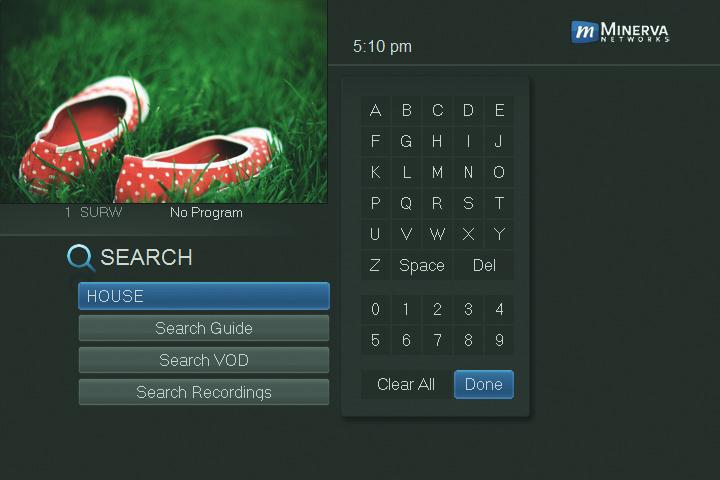
Press OK and a keyboard will appear to the right of the screen.
Highlight each letter in the name of the program you want to fnd, and press OK on each. Each time you press OK you will see that letter added to the text box. If you enter a wrong letter, highlight Del and press OK to go back one space.
If you need to start over, highlight Clear All and press OK. Once you have entered as much of the program name as you feel necessary, highlight Done and press OK.
14 Search
This is a SEO version of NDTC_User_Guide. Click here to view full version
« Previous Page Table of Contents Next Page »