This is a SEO version of NDTC_User_Guide. Click here to view full version
« Previous Page Table of Contents Next Page »41

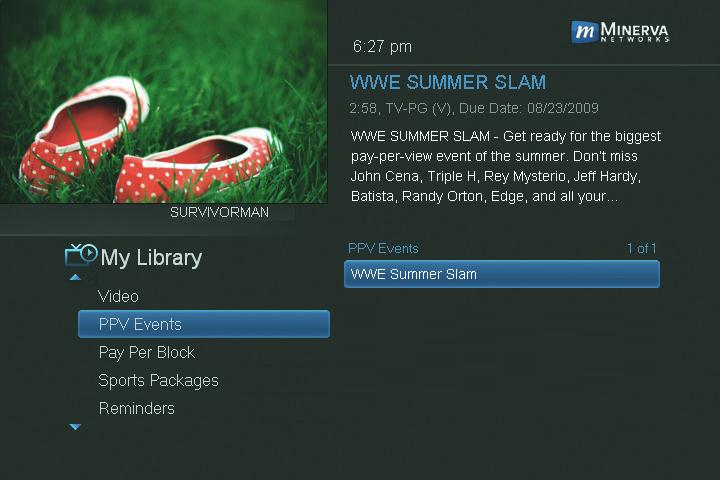
Go To PPV Events
Highlight PPV Events and press OK. All purchased pay per view events are listed to the right. Highlight the event you want to watch and press OK for information and viewing options.
Introducing Reminders
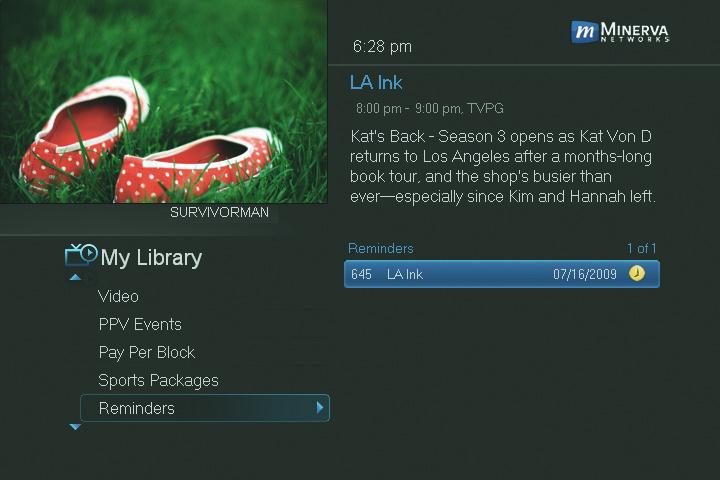
Reminders lists all Reminder and Autotune events you have created. From here you can cancel a Reminder or Autotune.
Go To Reminders Highlight Reminders and press OK.
A list of your Reminders and Autotunes appears to the right.


Cancel a Reminder or Autotune
Step 1: Pick the Program
Highlight the Reminder or Autotune you want to cancel and press OK.
10 My Library
This is a SEO version of NDTC_User_Guide. Click here to view full version
« Previous Page Table of Contents Next Page »