This is a SEO version of NDTC_User_Guide. Click here to view full version
« Previous Page Table of Contents Next Page »31
9 DVR

Introducing DVR
A DVR is a great tool for pausing live TV (PLT) and digitally recording programs without the need for tapes or discs. However, most record features are accessed through your on-screen guide. Refer back to section 6 Guide & Recording to learn more about setting or scheduling a recording, recording a series, and editing a series. Under the DVR icon, you can view and organize recordings as well as do a quick record, PLT, and a Scheduled Event recording.
Quick Recording
The fastest and easiest way to begin recording is to use the RECORD button on your remote control. Step 1: Start Recording
While watching a program, press RECORD. Recording will begin immediately.
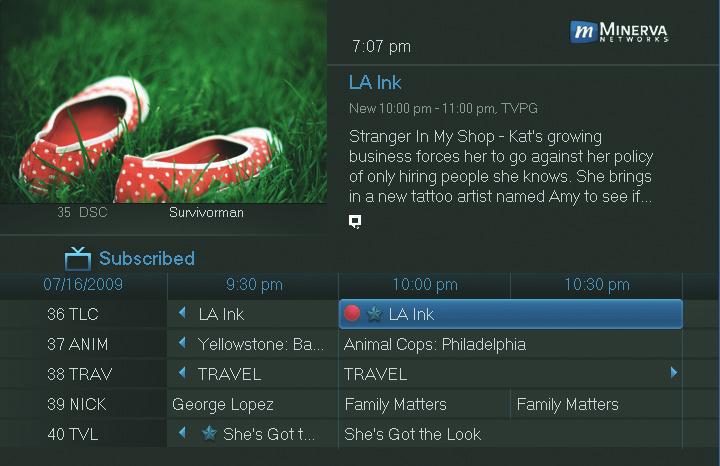
You can also start a quick record in Guide. Highlight a program you want to record using the Arrow Keys and press RECORD. If the program is currently on, recording will begin immediately. If the program comes on in the future, your system will record the program for you automatically. Your TV can even be turned off and recording will take place.
Pausing Live TV (PLT)
Recording capability also allows you to pause live TV (PLT). While watching a channel, PLT will temporarily store what you have watched so you can pause a program and then press play to resume watching. You can also rewind to when you began watching that channel.
This is a SEO version of NDTC_User_Guide. Click here to view full version
« Previous Page Table of Contents Next Page »