This is a SEO version of NDTC_User_Guide. Click here to view full version
« Previous Page Table of Contents Next Page »21

Start adjusts the amount of recording time added to the recording prior to when it’s scheduled to begin so that you don’t miss any of the beginning of the program.
End adjusts the amount of recording time added to the recording after it is scheduled to end so you don’t miss any of the end of the program. Once you have adjusted the start and end time, highlight OK and press OK to save your changes.
Editing a Series Recording
Note: Recording is not available if your set top box doesn’t support it. Once you have created a series recording, you can adjust which episodes of the series are recorded and which are skipped.
Step 1: Pick a Series Recording
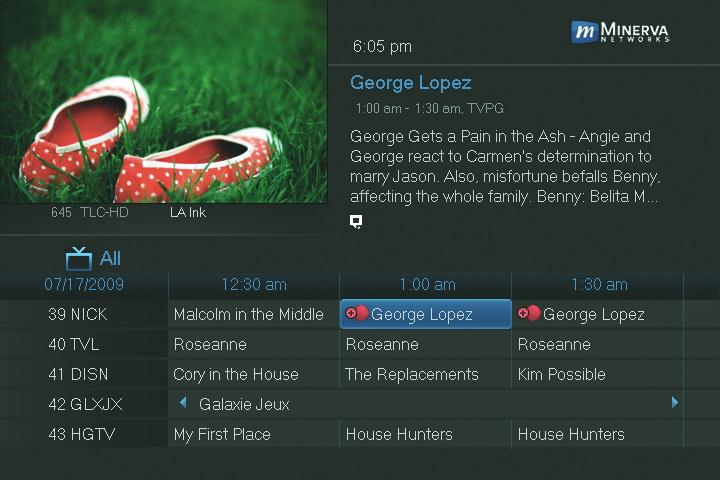
Locate any program in the series to be recorded. Highlight its listing and press OK.
Step 2: Edit Series Recording
From the options shown for this program, highlight Edit Series Recording
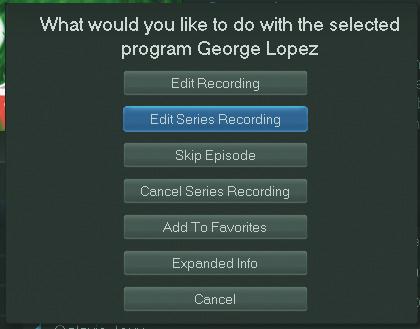
and press OK.
6 Guide & Recording
This is a SEO version of NDTC_User_Guide. Click here to view full version
« Previous Page Table of Contents Next Page »