This is a SEO version of NDTC_User_Guide. Click here to view full version
« Previous Page Table of Contents Next Page »20

Editing a Recording
Note: Recording is not available if your set top box doesn’t support it. Once you have created a recording, you can adjust exactly when the recording begins or ends to make sure nothing is missed in case the broadcaster’s time doesn’t match up with yours exactly.
Step 1: Pick an Upcoming Recording Locate the program to be recorded. Highlight its listing and press OK.
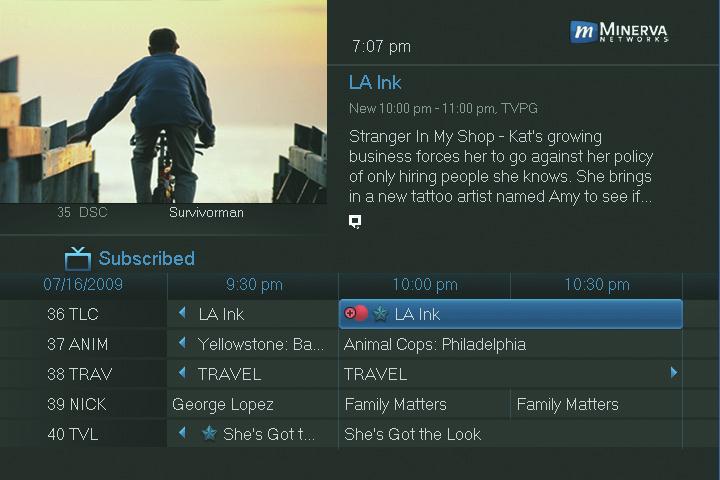
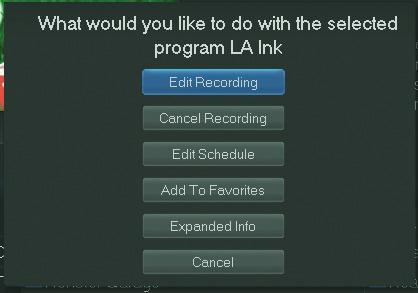
Step 2: Edit Recording
From the options shown for this program, highlight Edit Recording

and press OK.
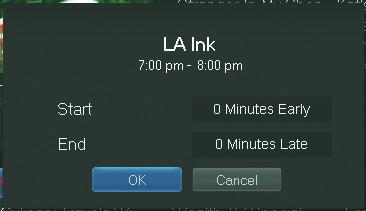
Step 3: Pad Start & End Times
Use the Up and Down Arrow Keys to choose Start or End and press OK. Once you see arrowheads above and below the Start or End box, use the Up and Down Arrow Keys to adjust the Start time or End time.
6 Guide & Recording
This is a SEO version of NDTC_User_Guide. Click here to view full version
« Previous Page Table of Contents Next Page »