This is a SEO version of NDTC_User_Guide. Click here to view full version
« Previous Page Table of Contents Next Page »57

Introducing Favorites
Favorites allows you to create, edit, choose or delete a list of your favorite channels. You can even have multiple favorites lists.
Go To Favorites Press MENU and highlight Favorites, then press OK.
You will be presented with a screen with options to choose, edit, create or delete a favorites list, or cancel.
Choosing a Favorites List There are two ways to choose a favorites list: Favorites From the Menubar
Follow the steps above in “Go To Favorites,” then highlight Choose and press OK. Then highlight the favorites list you want and press OK. Favorites From Guide
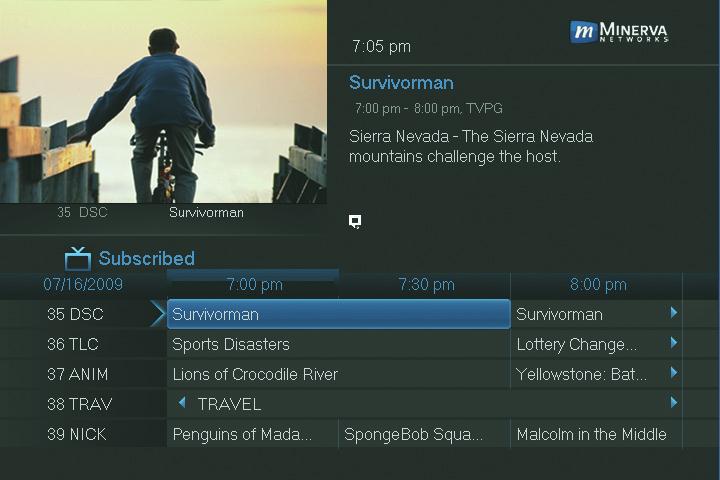
While in Guide, you can cycle through your Favorites lists by pressing GUIDE repeatedly. Each press will activate the next Favorites list. Cycling to All will display all available programming.
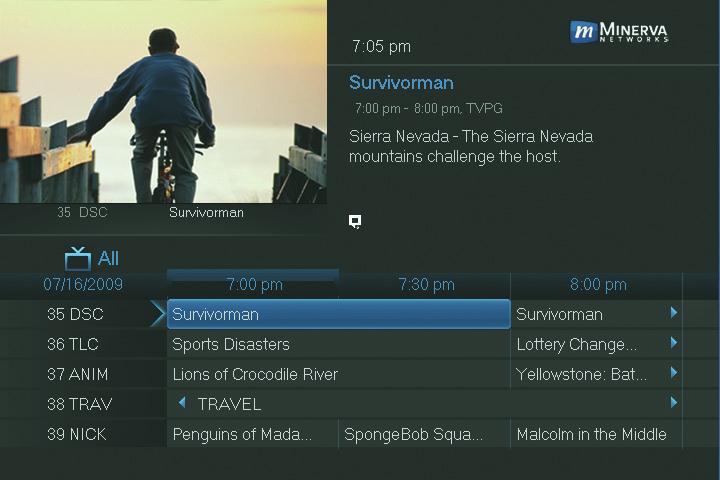
The name of the active Favorites list is shown below the picture-in-picture area. This causes Guide to only display the channels included on that Favorites list. Pressing GUIDE once you have cycled through all Favorites lists will exit Guide.
13 Favorites
This is a SEO version of NDTC_User_Guide. Click here to view full version
« Previous Page Table of Contents Next Page »