This is a SEO version of NDTC_User_Guide. Click here to view full version
« Previous Page Table of Contents Next Page »52
12 Settings

To discard your changes, highlight Cancel and press OK.
Adding a User Account
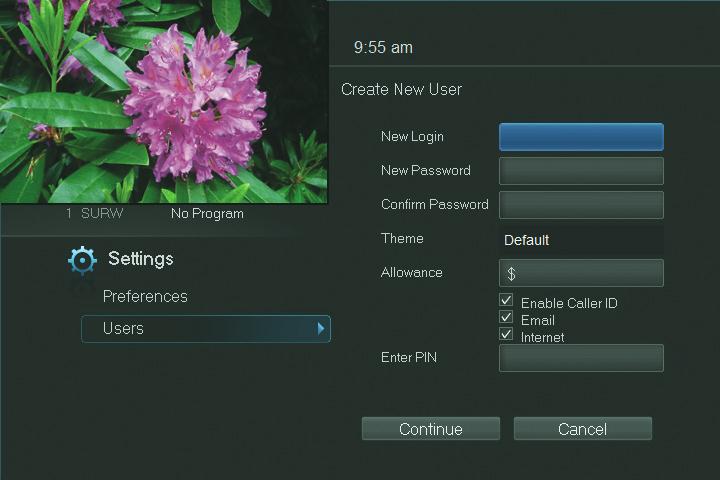
To create a new user account, highlight the Add button and press OK.
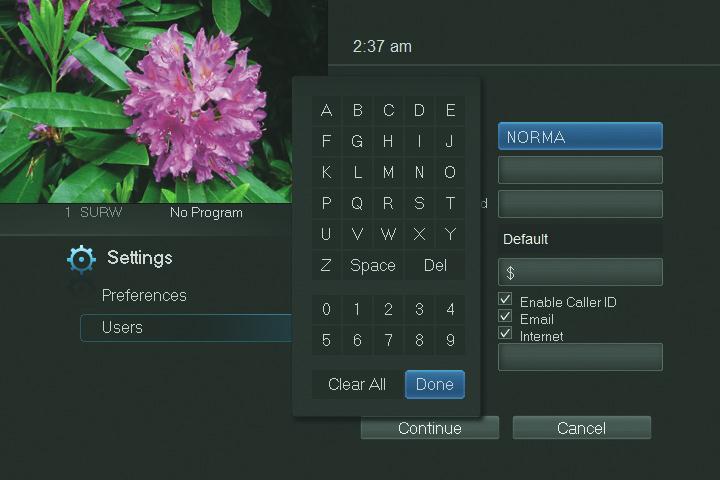
Highlight New Login to enter the name for the new account and press OK. An on-screen keyboard appears.

Use the Arrow Keys to highlight a letter or number and press OK to add it to the login name. Once you have entered the desired name, highlight Done and press OK to return to the Create New User screen.
This is a SEO version of NDTC_User_Guide. Click here to view full version
« Previous Page Table of Contents Next Page »