This is a SEO version of NDTC_User_Guide. Click here to view full version
« Previous Page Table of Contents Next Page »49
12 Settings

0 seconds will display your Autotune at the exact time the program begins. Any of the other settings will trigger the Autotune that many seconds or minutes before the program begins. Hardware Settings
For service provider only.
Channel Blocking
Channel Blocking Edit displays a list of all channels available. You can then block or unblock any channel. Blocked channels WILL NOT APPEAR in channel lineup.
To block channels, highlight the Channel Blocking Edit button and press OK If no changes have been made on the Preferences screen, you will go directly to the list of all available channels. If any changes have been made to the main Preferences screen and you have not already updated them, a Save Changes box will appear. Highlight YES and press OK if you wish to save these changes. The Settings Successfully Updated notice will then appear. Highlight OK, and press the OK button
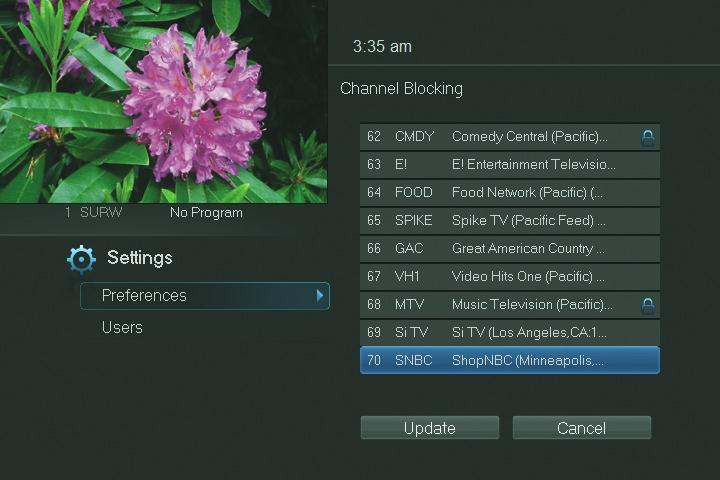
The Channel Blocking list will appear. To block/unblock a channel, highlight the channel entry and press OK. To go to the next screen of channels, press the Up or Down Arrow Key. When complete, Arrow to update and press OK.
This is a SEO version of NDTC_User_Guide. Click here to view full version
« Previous Page Table of Contents Next Page »