This is a SEO version of NDTC_User_Guide. Click here to view full version
« Previous Page Table of Contents Next Page »45

Introducing Controls
Note: Parental Controls must first be set up in Settings before the Control On/Off icon will appear on the Menubar.
Controls let you turn on and off all parental controls for your service. When the controls are on, the kids can watch TV without you constantly worrying they may see something inappropriate. When the controls are off, adults can watch their programs without repeatedly entering a password. When the controls are on, titles of programs that exceed your parental control settings will not be shown. Once the controls are turned off, all program titles will be shown.
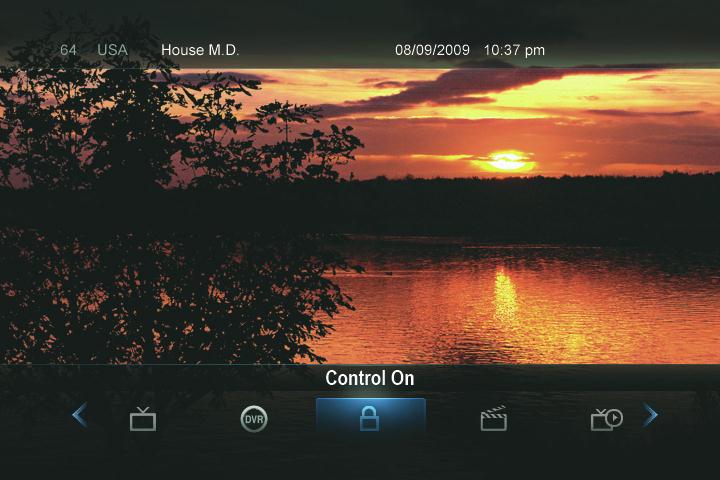
Go To Controls Press MENU and highlight the Control icon.
Turning Controls On or Off
The Menu lets you know if the controls are on or off.
If parental controls are on, the icon will say Control On. If parental controls have been turned off, the icon will say Control Off.
11 Controls
This is a SEO version of NDTC_User_Guide. Click here to view full version
« Previous Page Table of Contents Next Page »