This is a SEO version of NDTC_User_Guide. Click here to view full version
« Previous Page Table of Contents Next Page »43

Reading a Message
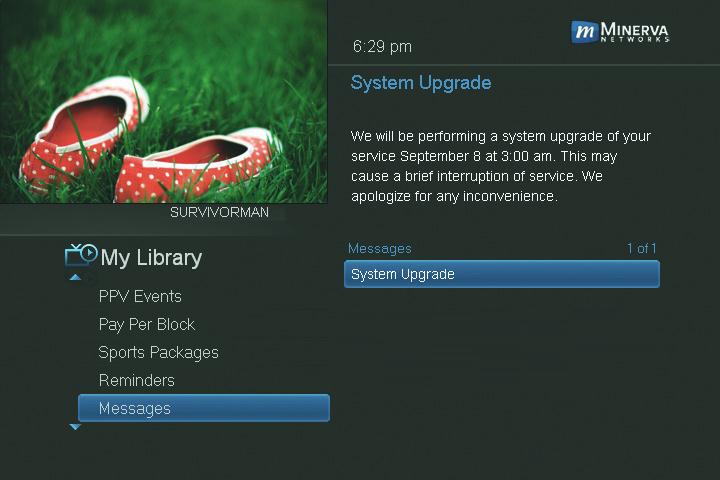
Highlight the message listing you want to read. The full message will be displayed in the Info Area in the upper right-hand corner of your screen.
Introducing Caller ID
Caller ID offers access to the Caller ID call log. You can review log entries and delete individual entries.
Note: You must subscribe to Caller ID to access this feature. Additionally, only certain set top boxes support on-screen Caller ID. Please contact customer service for more information.
Whenever you receive a call, an alert will appear in the upper corner of your screen. This alert will be removed after a few seconds.
Go To Caller ID
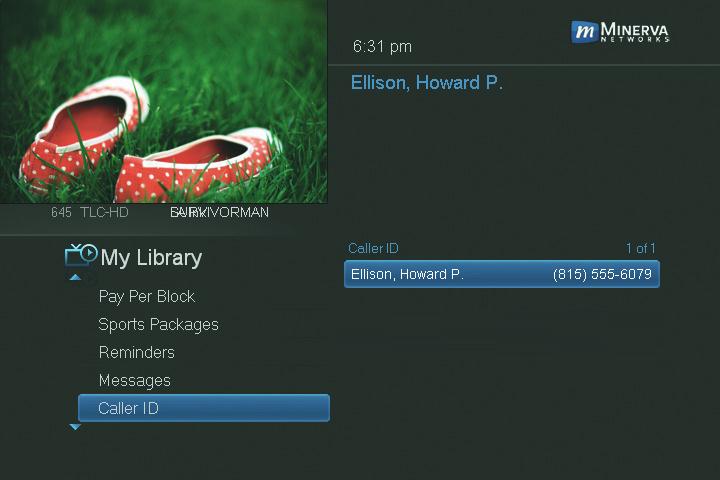
Highlight Caller ID and press OK.
A list of received calls appears to the right. Highlighting a Caller ID log entry will display the name and number of the caller, and the date and time of the call.
10 My Library
This is a SEO version of NDTC_User_Guide. Click here to view full version
« Previous Page Table of Contents Next Page »