This is a SEO version of NDTC_User_Guide. Click here to view full version
« Previous Page Table of Contents Next Page »37

what program you want to be recorded compared to another.
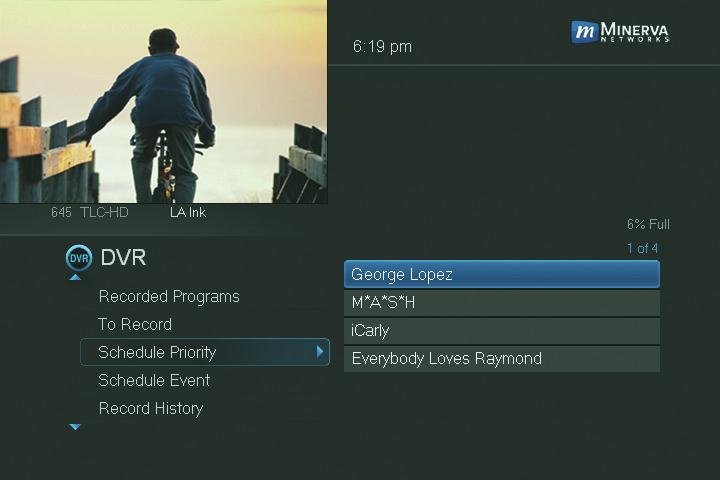
Go To Schedule Priority Highlight Schedule Priority and press OK.
Changing Schedule Priority
Schedule Priority lists all series recordings you have scheduled. The series with the highest priority is listed frst. This program will always be recorded in preference to any other series recording. The series with the lowest priority is listed last. This program will be skipped in preference to any other series recording.
To adjust the priority for a series, highlight the program you want to change and press OK.
You will be presented with the option to Move Up or Move Down the program in priority. Highlight the option you want and press OK. If necessary, repeat this procedure until each series is in the order of priority you want.
Schedule an Event
You can schedule a Recording, Reminder or Autotune event in exactly the same way as you would when choosing Schedule Event from Guide.
Go To Schedule Event Highlight Schedule Event and press OK.
9 DVR
This is a SEO version of NDTC_User_Guide. Click here to view full version
« Previous Page Table of Contents Next Page »