This is a SEO version of NDTC_User_Guide. Click here to view full version
« Previous Page Table of Contents Next Page »28

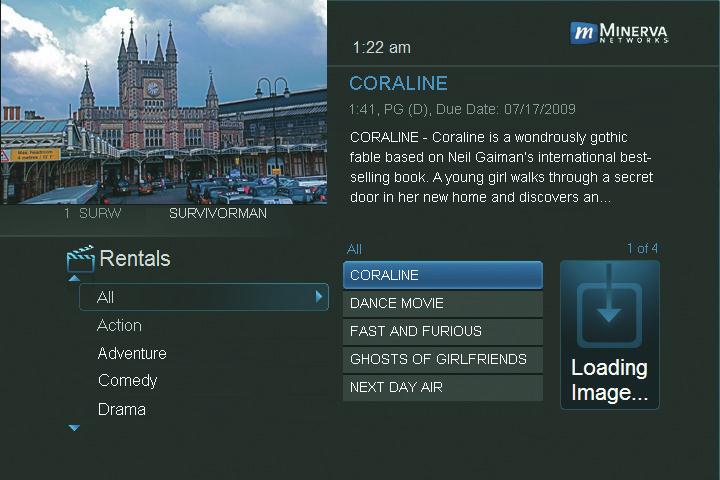
Step 2: Browse the Rentals
When you choose a category, a list of available VOD Rentals for that category are shown to the right. Highlighting a VOD Rental will list information for that Rental in the upper right portion of the screen. At any time during this process, you can press the Left Arrow key to return to a previous set of categories.
Renting a VOD Rental
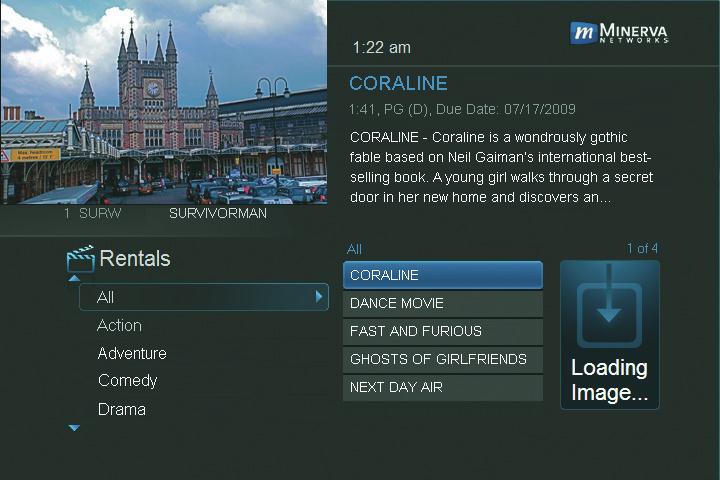
Step 1: Pick a Rental Follow Steps 1-2 for “Browse Rentals” to fnd a VOD Rental in which you are interested. Press OK.
8 Rentals
This is a SEO version of NDTC_User_Guide. Click here to view full version
« Previous Page Table of Contents Next Page »