This is a SEO version of NDTC_User_Guide. Click here to view full version
« Previous Page Table of Contents Next Page »25
7 Pay Per View

Introducing Pay Per View (PPV)
Pay Per View allows you to watch exclusive sporting events and other content in the privacy of your home with no long lines, big crowds, expensive concessions and seats in the “nose bleed” section.
Go To Pay Per View
Using the Arrow Keys on your remote, scroll the menubar to PPV, then press Ok. The PPV list will appear on the Guide menu.
Buying Pay Per View
Note: Use these steps to purchase Pay Per Events
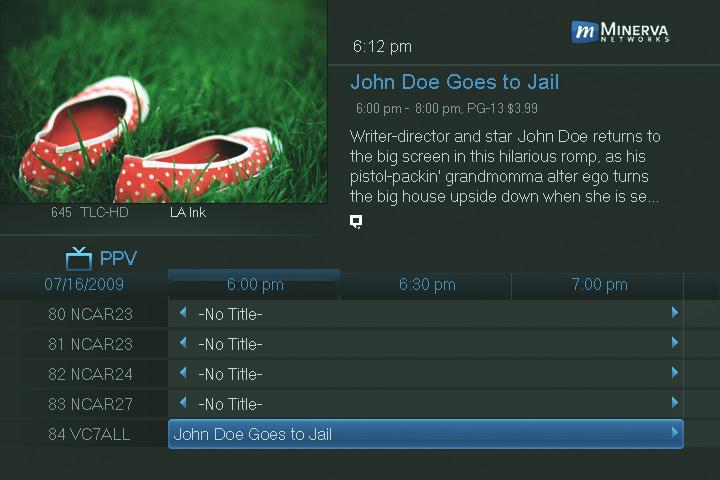
Step 1: Pick the Program
Highlight the Pay Per View program you want to buy and press OK.
Step 2: Buy PPV
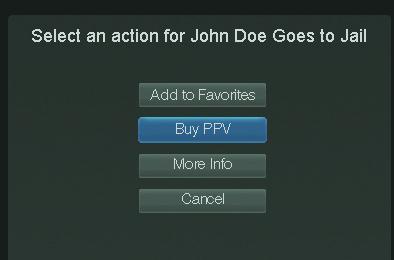
Highlight and press OK.
This is a SEO version of NDTC_User_Guide. Click here to view full version
« Previous Page Table of Contents Next Page »