This is a SEO version of NDTC_User_Guide. Click here to view full version
« Previous Page Table of Contents Next Page »23
Step 2: Skip the Episode Highlight Skip Episode

and press OK. You will be returned to Guide and the red dots on the episode listing will turn grey to indicate you are skipping that episode. If you decide to record this episode after all, repeat this procedure and choose Record Episode from the options shown and press OK. The dots will become red again.


Canceling an Autotune, Reminder, Recording or Series Recording You can cancel any event you have previously scheduled directly from Guide.
Step 1: Pick the Program
Highlight the program with the event you want to cancel and press OK.
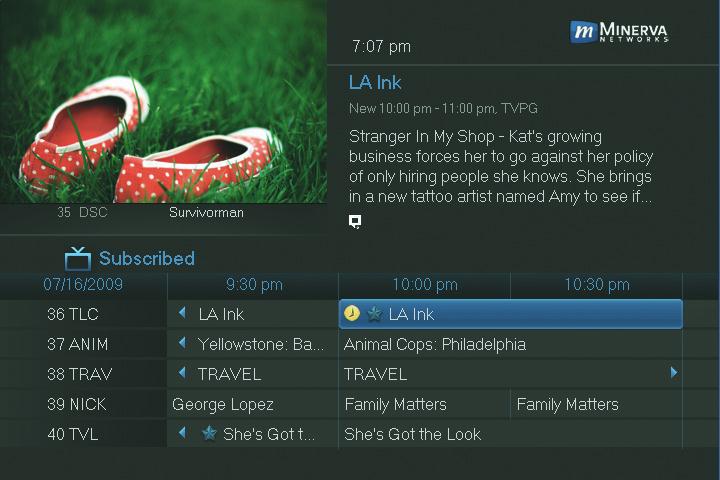
Step 2: Cancel the Event
Depending on the type of event you are cancelling, your option will be
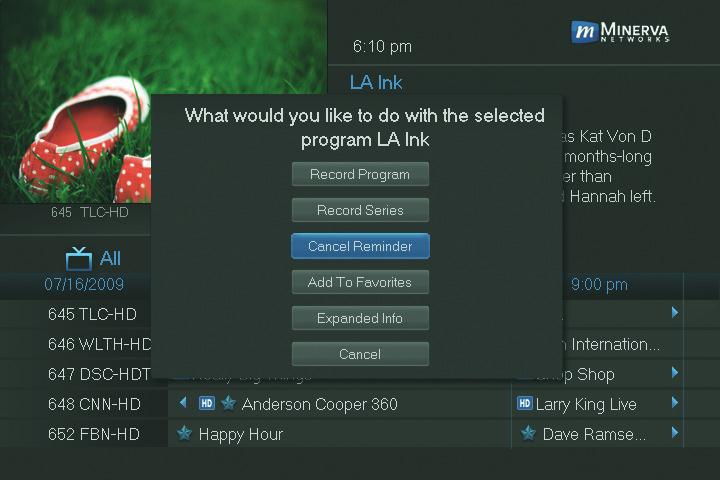


or

6 Guide & Recording
This is a SEO version of NDTC_User_Guide. Click here to view full version
« Previous Page Table of Contents Next Page »